WebGPU · runs on your device
Photoshop-style editing
without the install
Layers, masks, selections, channels and layered PSD files — rendered on the GPU inside a single browser tab. Your images never leave your machine.
No account, no upload, no watermark. First load pulls about 14 MB, then it is cached.
- PSD in, PSD out
- Layers & masks
- Selections & transforms
- Channels & paths
- PNG · JPEG export
Colour
Layers
- Highlights 78
- Colour grade 100
- Retouch 100
- Background 100
- files uploaded
- 0
- first load, cached after
- ~14 MB
- layers read and written
- PSD
- hardware-accelerated canvas
- WebGPU
Toolset
A desktop editor’s toolbox, in a tab
Not a filter toy. The panel layout, the layer stack and the shortcuts are the ones you already know from desktop image editors.
-
Layer stacks that behave
Blend modes, opacity, fill, clipping, layer styles and nested groups — the same mental model as a desktop editor.
-
Non-destructive masks
Layer masks, adjustment layers and clipping keep every edit reversible. Nothing is baked until you flatten.
-
Selections and transforms
Marquee, lasso, magic wand and quick selection, plus free transform, crop and straighten on the same toolbar.
-
Channels and paths
Inspect RGB channels, edit the alpha channel directly, and draw editable vector paths with the pen tool.
-
Real PSD read and write
Open layered PSDs, edit them, and write them back with layers intact. Export PNG or JPEG when it is time to ship.
-
Built for large canvases
Compiled from Rust to WebAssembly and composited on the GPU, so a 4000 px canvas still pans without stutter.
Workflow
Three steps, nothing to install
The whole loop happens in the browser: bring a file, edit it, take the result away.
- STEP 01
Bring a file
Drag a PSD, PNG or JPEG onto the canvas, or start from a print, web or mobile preset.
Ctrl / ⌘ + O
- STEP 02
Edit with real tools
Brush, clone, gradient, text, shapes and layer styles — with keyboard shortcuts for every one.
B · M · T · G
- STEP 03
Export and ship
Keep the layer stack in a PSD, or flatten to PNG and JPEG with the quality and size you pick.
Ctrl / ⌘ + S
In the app
This is the actual interface
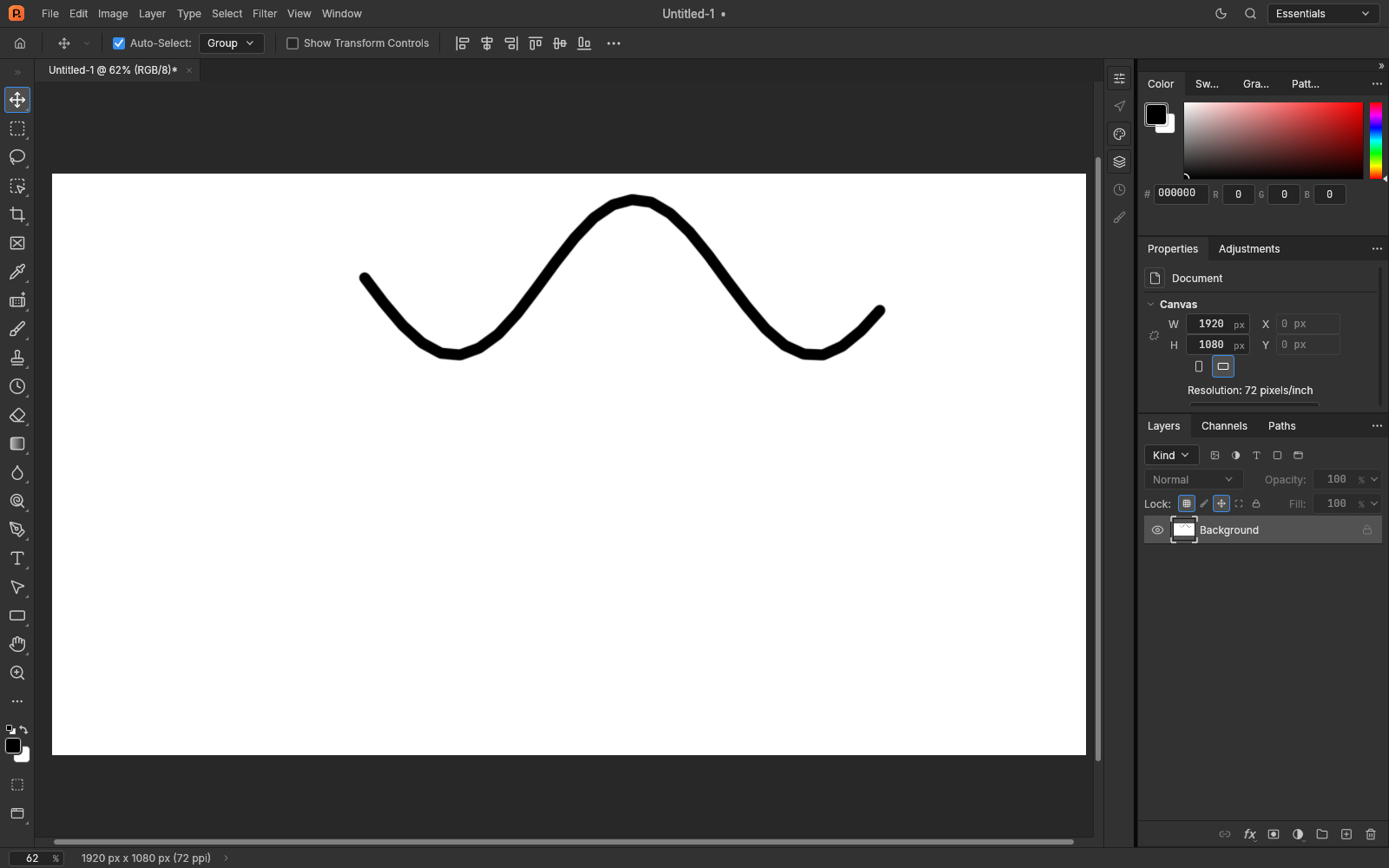
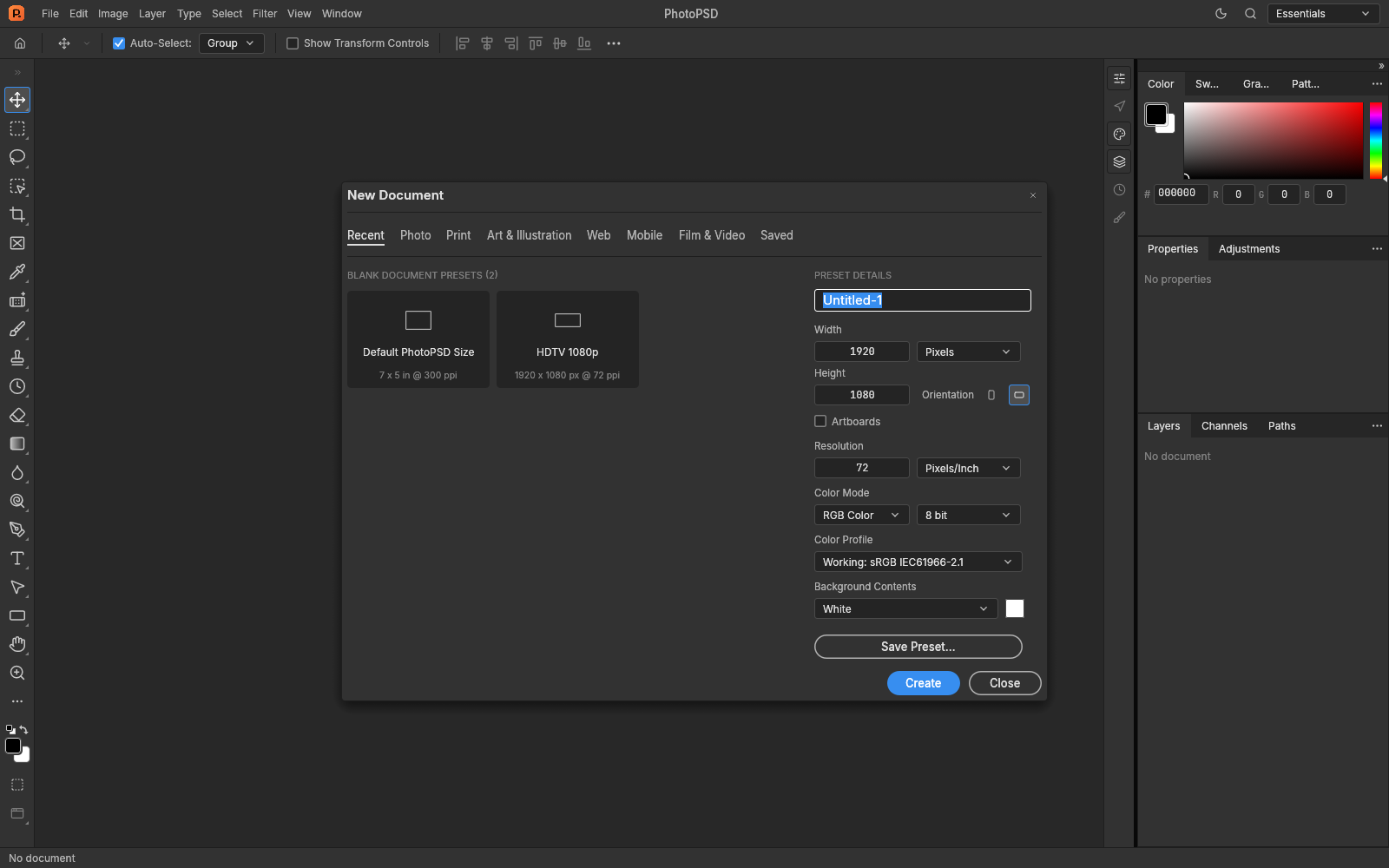
No mockups: both screenshots come from the editor running in a browser, with a 1920×1080 document open.
Where people use it
Everyday jobs, without a licence
The three things people open PhotoPSD for most often — each has its own walkthrough.
- Convert
PSD to PNG
Flatten a layered mockup into a single transparent PNG at the size you need.
- View
Open a PSD without Photoshop
Look inside a PSD someone sent you, hide the layers you do not need, export what matters.
- Compare
A free Photoshop alternative
For quick retouching, resizing and format work on a machine with no design software.
- Guides
Learn the workflow
Guides on PSD internals, colour management and web export — written for this editor.
FAQ
The questions everyone asks first
Short answers. The full list is on the FAQ page.
All questions Is it really free?
Yes. There is no account, no trial timer and no watermark on exports. The site is funded by unobtrusive advertising instead of subscriptions.
Do my images get uploaded?
No. The editor is a WebAssembly build that runs in your tab; files are read and written locally. Nothing is sent to a server.
Does it open PSD files with layers?
Yes. Layered PSD files open with their layer stack, blend modes and masks, and can be written back as PSD with layers intact.
Which browsers are supported?
Any Chromium-based browser with WebGPU enabled — Chrome and Edge 113 or newer are the safe choices. Safari and Firefox support is still catching up.
MORE APPS
Other tools we build
Separate projects, same idea: useful things that work in a browser tab, with no install and no account.
- TK
ToolsKit
An AI tool directory plus browser utilities you can open without installing anything.
toolskit.net
- GF
GPTFree
AI tools with a free tier, free credits and open models, collected in one place.
gptfree.net
- IC
iloveconverter
Convert images, documents and media between formats in the browser.
iloveconverter.com
- 7Z
ilove7z
Extract and create 7z, ZIP and RAR archives locally; files are never uploaded.
ilove7z.com
Open a document in ten seconds
No install, no sign-up, no watermark. Just a canvas, a layer stack and your own GPU.